
Cara Mereset Kemera Tiandy TC-H6 4G ke Pengaturan Pabrik
ip tiandy

Showing 55 – 56 of 81 results Showing all 81 results Showing the single result No results found
Sort by
Filters Sort results
Reset Apply

KEY FEATURES
HD Input
• S+265/H.265/H.264 video formats
• Connectable to the third-party network cameras
• Support live view, storage, and playback of the
connected camera at up to 8MP resolution
HD Output
• 1×HDMI and 1×VGA simultaneous outputs
• HDMI Video output at up to 4K resolution
HD Storage
• 1 SATA interface, up to 10TB for 1 HDD
• S+265 compression effectively reduces the storage
space and costs by up to 75%
HD Transmission
• 1×RJ45 self-adaptive 10/100 Mbps network
interface
• PoE Port: 4×RJ45 self-adaptive 10/100 Mbps
network interfaces
Various Applications
• Centralized management of IP cameras, including
configuration, information import/export, real-time
information display, upgrade, etc.
• Connectable to smart IP cameras from Tiandy and the
recording, playing back, and backing up of VCA alarms
can be realized
• VCA detection alarm is supported
• Web6 supports plug-in free browsing and can preview
videos on all browsers
• Support cloud upgrade

Rp900.000
Max:
Min: 1
Step: 1
Add to cart

Up to 5-ch IP camera accesses
Incoming/Outgoing bandwidth: 60Mbps/40Mbps
S+265, H.265, S+264, H.264 video formats
Max. decoding capability: 6MP(30fps)×1 or
1080P(30fps)×4
4-ch synchronous playback
Up to 6 TB capacity for each HDD
Simultaneous HDMI and VGA outputs
HDMI output at up to 1080P resolution
1×RJ-45, 10/100 Mbps self-adaptive Ethernet port
PoE interface, 4×RJ45, 10/100 Mbps self-adaptive
Ethernet port
S+ 265 compression effectively reduces the storage space
by up to 75%
Support cloud upgrade

Rp900.000
Max:
Min: 1
Step: 1
Add to cart
1...272829...41

Kesimpulan:

Untuk mereset Tiandy TC-H6 ke pengaturan pabrik, gunakan tombol reset fisik: tahan selama sekitar 5 detik saat perangkat menyala. Akan ada terdengar suara “Successfully Reset”. Ini adalah cara paling cepat dan andal. Jika kamera berada di dekat anda.  Namun Bagaimana cara mereset ke Factory reset atau pengaturan default pabrik ketika kamera tidak di dekat anda. tetapi beradapa jauh atau di tempat tinggi?.

Nah.. Sobat VMS, berikut kami informasikan cara mereset kamera IP CAM tiandy TC-H6 4G.

Langkah Pertama (1)
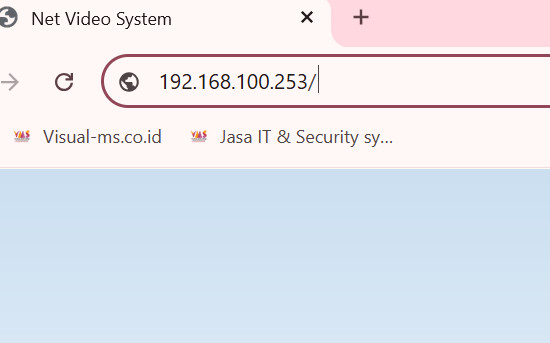
masuk ke ip
Masuk Ke IP Camera melalui Brower. 

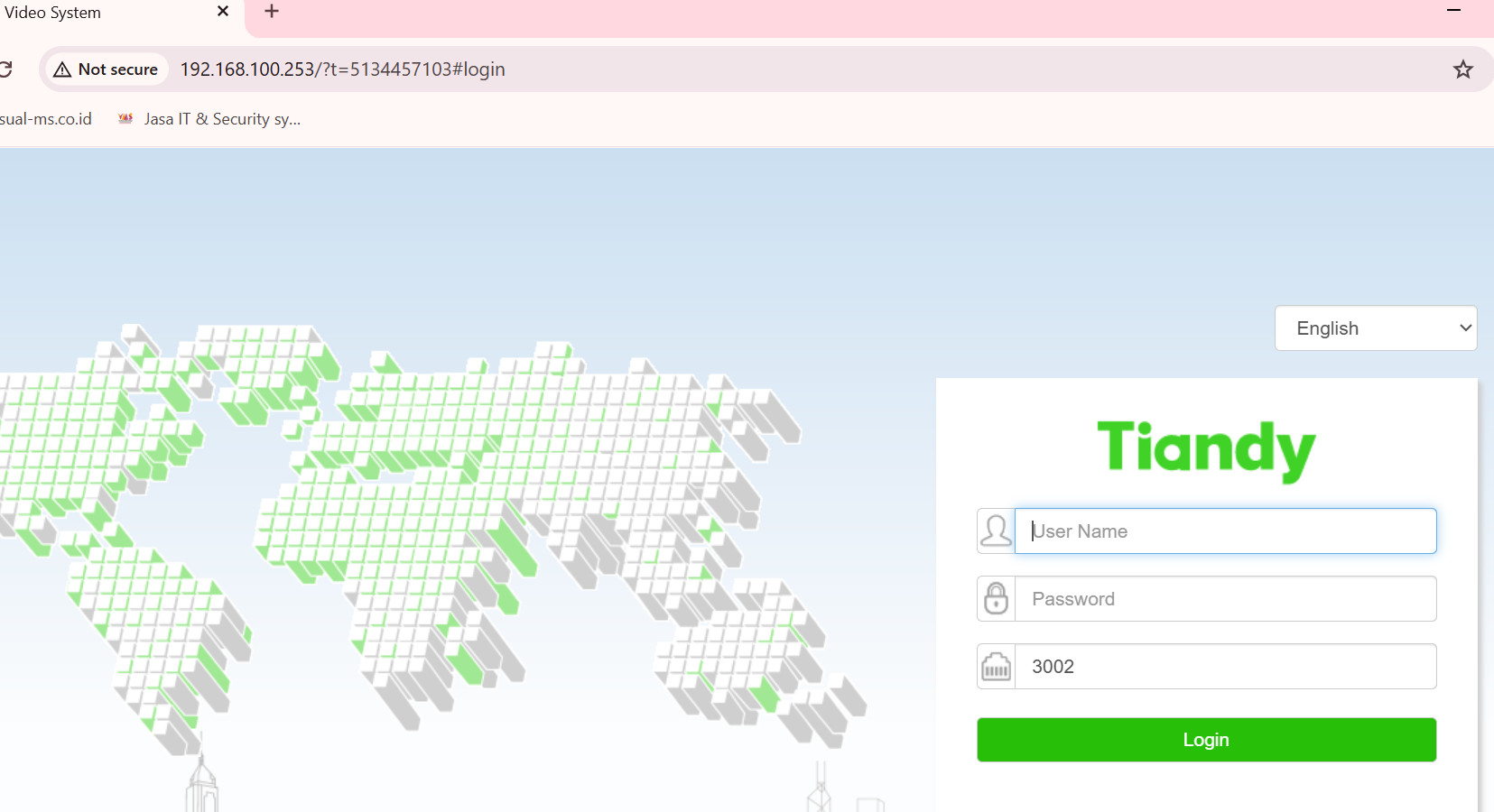
Jika anda berhasil memanggil IP Camera tersebut. Maka Tampilannya akan seperti berikut :

ip tiandy

Setelah itu, akan ada pertanyaan seperti berikut dibawah ini :
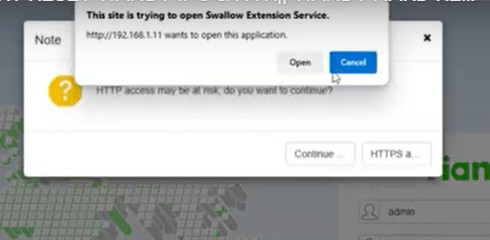
pertanyaan tiandy

Klik OPEN, setelah itu. anda akan di tanya username dan password ip camera tesebut.

Tetapi jika anda lupa password ip camera tiandy, anda dapat menggunakan aplikasi perangkat lunak Tiandy (misalnya Tiandy Search Config Tool), sebagian perangkat Tiandy. setelah anda mendapatkan ip cameranya, klik lalu klik forgot password. pilih bagian export XML.

lalu kirim ke [email protected] . kami akan membantu memberkan file untuk reset passwordnya.

setelah anda berhasil masuk.

klik pada system pilih maintenance, lalu pilih Factory Reset.
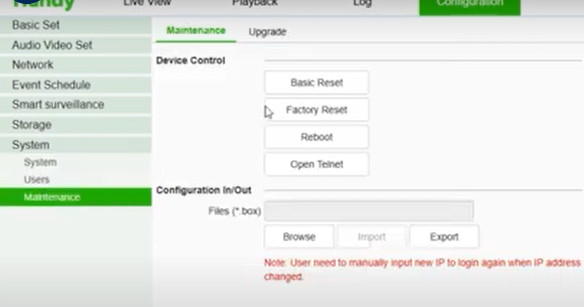
reset

Dengan demikian anda telah berhasil melakukan reset.

Leave a Reply

Your email address will not be published. Required fields are marked *

Shopping cart

No products in the cart

Return to shop
Chat WhatsApp
WhatsApp